

Step 1: Connect Your Wallet
- Head to http://beta.positions.finance/
- Click Connect Wallet at the top right.
- Make sure you’re on the correct network (e.g., Berachain).
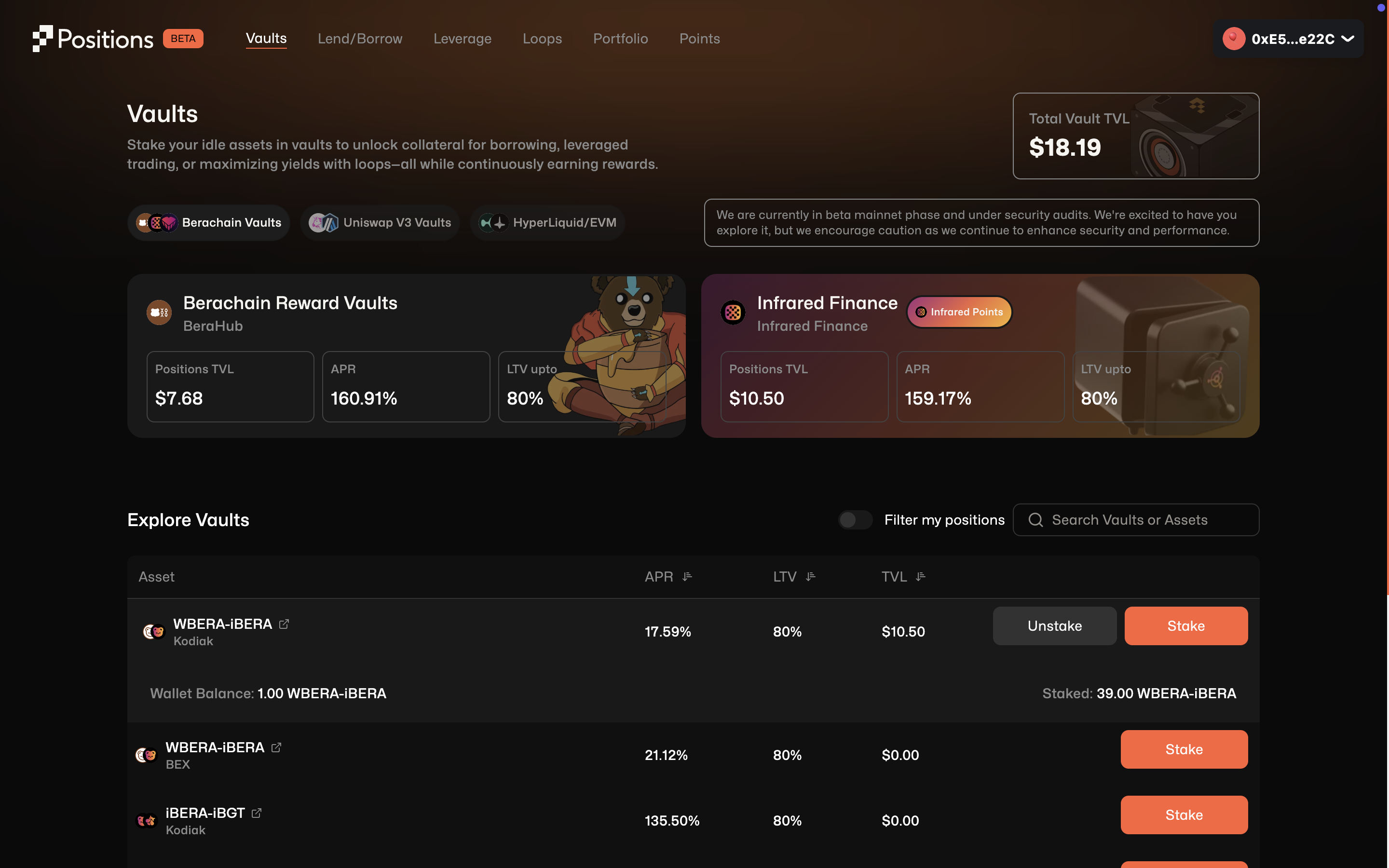
Step 2: Choose a Vault
You’ll see several vault protocols like, Berachain Reward Vaults (BeraHub), Infrared Finance Vault, and more.- Select and scroll the pairs in the vaults.
- Find your asset pair (e.g.,
WBERA-iBERAunder Infrared Finance) - Click Stake on the vault of your choice.
- You must have the asset (e.g.,
WBERA-iBERA) in your wallet. - If you don’t, you’ll need to provide liquidity elsewhere (e.g., Kodiak Finance, BEX, etc.) before trying to stake on vaults.
Step 3: Confirm & Stake
- Once the staking modal opens, enter the amount you wish to deposit.
- Approve the asset if it’s your first time.
- Confirm the Stake transaction in your wallet.
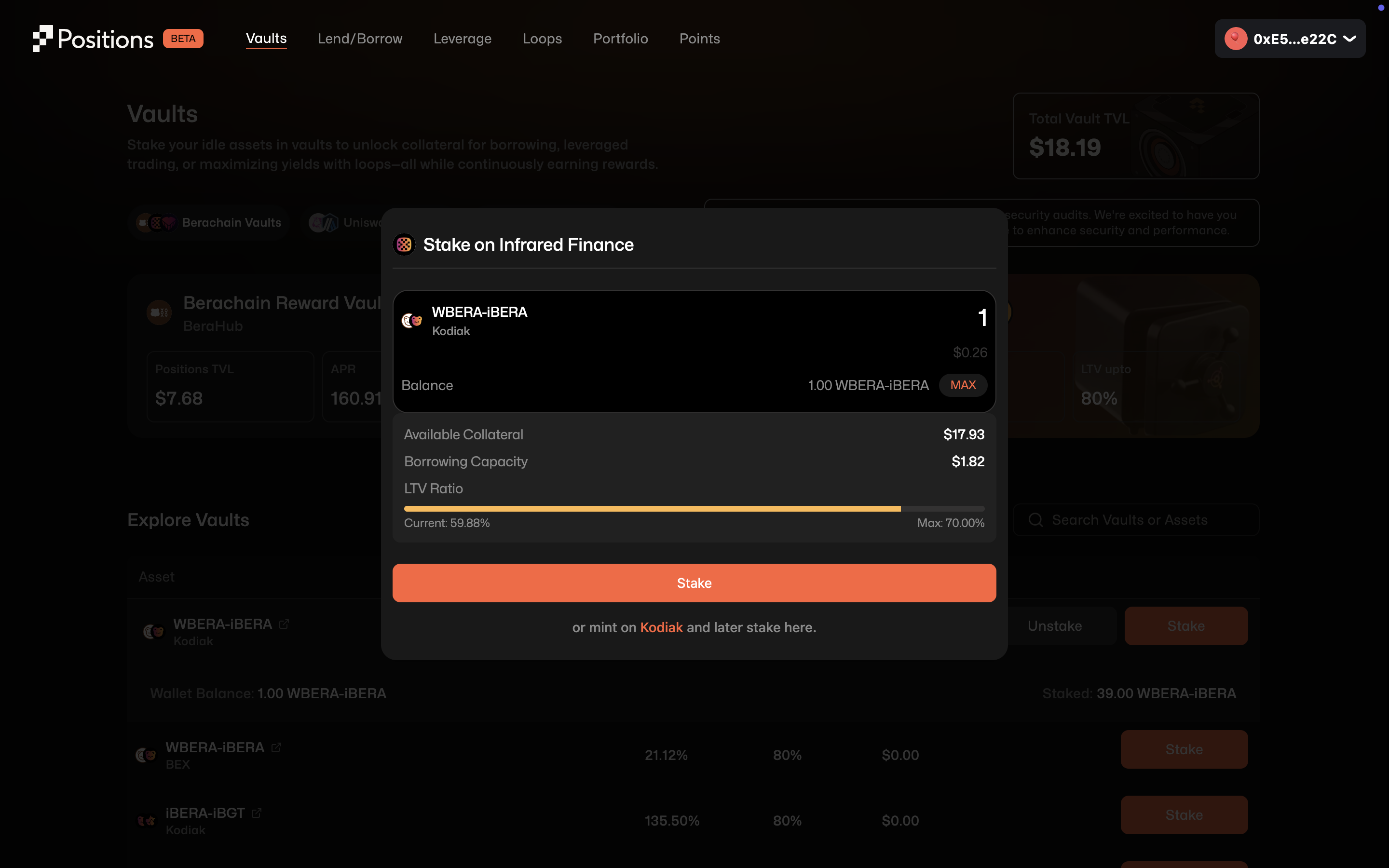
- You’ll start earning yield
- Your Proof-of-Collateral (PoC) is updated instantly
- You can borrow against this collateral from the Lend/Borrow section
Positions Finance charges a 5% protocol fee on the rewards earned. It is applied only on the yield accrued, not your principal.
Note on Fees: Positions Finance charges a 5% protocol fee on the rewards/yields earned. It is applied only on the yield accrued, not your principal.
Notes for Users
- Infrared Vaults also earn you Infrared Points on top of the base yield. These might later be used for rewards or governance.
- APR can fluctuate based on vault performance and usage.
- Depositing to vaults locks your tokens, but they remain withdrawable unless used as collateral for borrowing or loops.
- Vault positions contribute to your collateral value for borrowing. You can view/manage this under the Portfolio tab.
To Unstake
- Navigate back to the vault page.
- Click Unstake next to your active position.
- Confirm the transaction in your wallet.